Report styles
Four report types, each with a sensible default style. Change the layout, columns and sections once per type, and every report follows.
SNG
Snagging
Defects before handover, for the client, developer or contractor.
- Finding cards with up to two photos
- Sorted by severity
- Recommended actions
- Client signature
INS
Inspection
A stage or element inspected against what was required.
- Your firm intro paragraph
- Finding cards with photos
- Sorted by severity
- Recommended actions
PRG
Progress
Where the works stand on the day, area by area.
- A table with one photo per row
- Sorted by location
- No severity column
- Engineer signature only
SVR
Site visit
A record of what you saw on a visit, in the order you saw it.
- A table with one photo per row
- In capture order
- No severity column
- Client signature
Real pages, from the real renderer
The sample snagging report, printed by the same engine that prints yours. The SAMPLE watermark marks it as not a real visit.
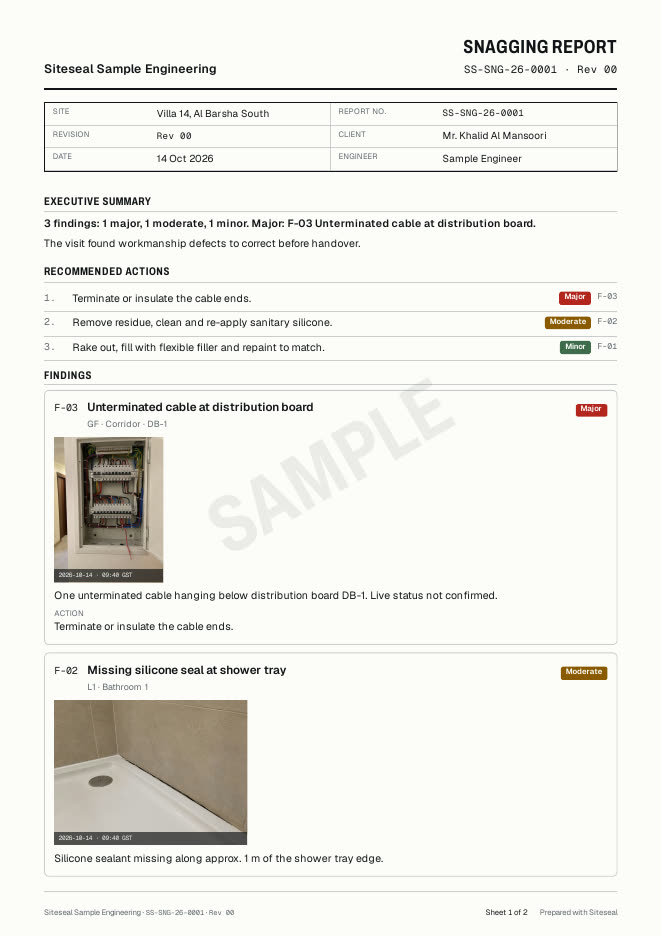
Sheet 1 of the English sample: masthead, title block, executive summary, recommended actions and the first finding. 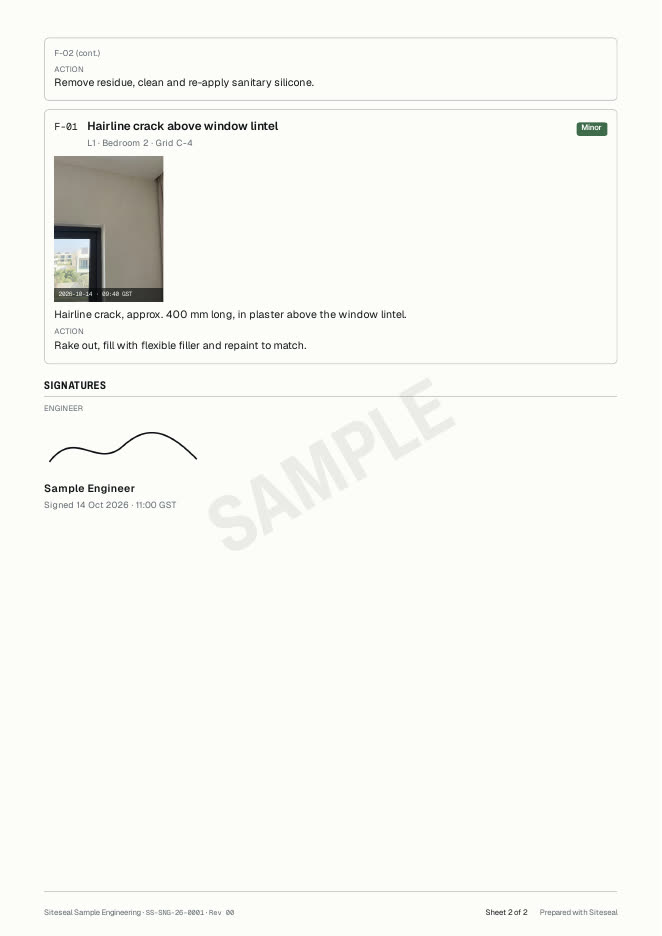
Sheet 2 of the English sample: the remaining findings and the engineer signature. 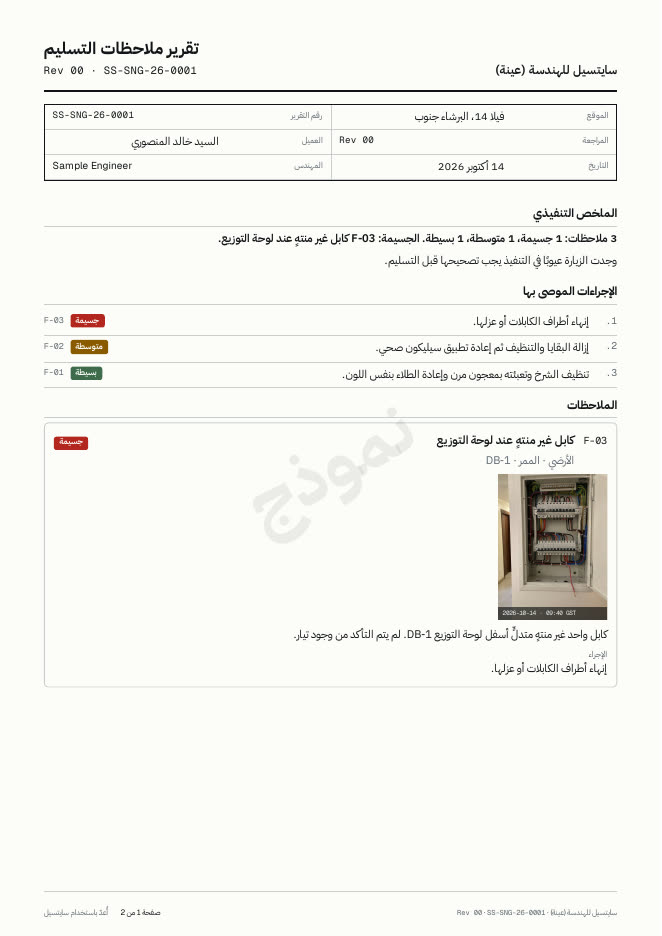
Sheet 1 of the Arabic sample, laid out right to left. 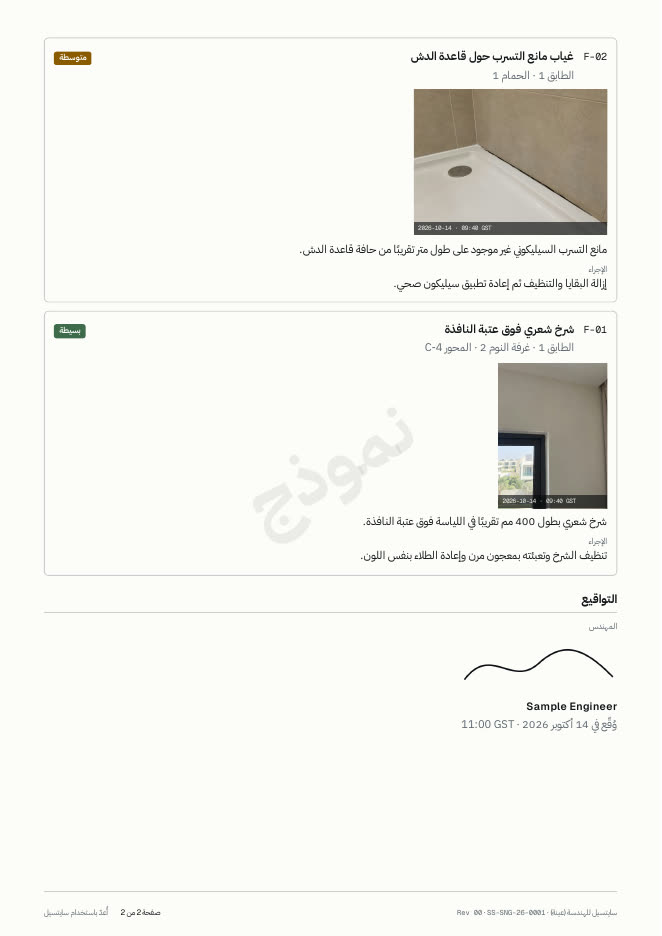
Sheet 2 of the Arabic sample, with the signature block. 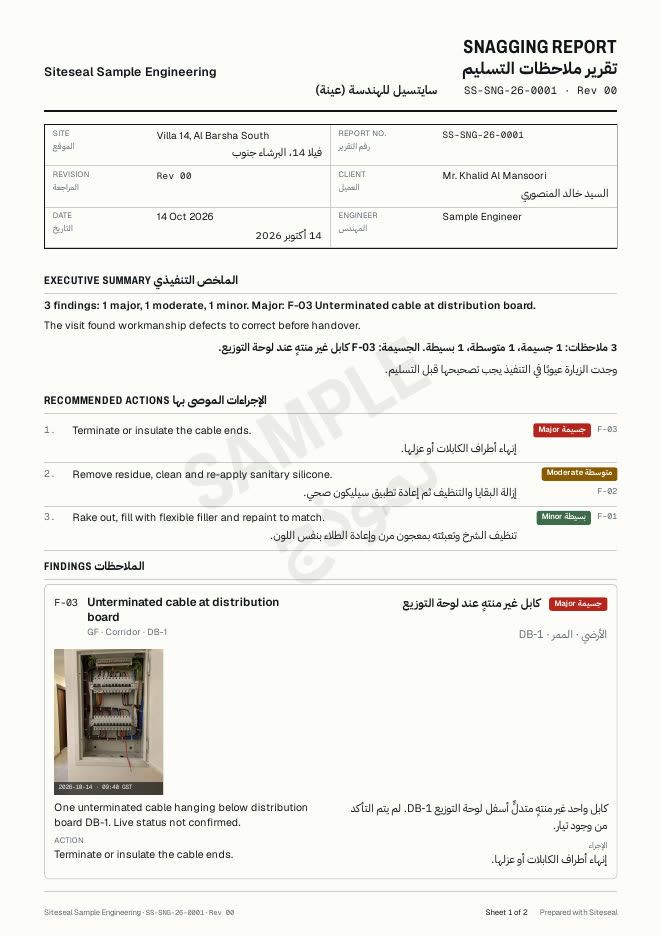
Sheet 1 of the bilingual sample: English and Arabic side by side in every finding.


English, Arabic or both
- English
- For consultants and developers who file in English.
- Arabic
- Right to left from the masthead to the footer, set in IBM Plex Sans Arabic.
- Bilingual
- English and Arabic side by side in each finding, each language verified on its own.
Your firm on every sheet
Logo, firm name in English and Arabic, contact line and TRN, an accent colour checked for contrast, and your own numbering pattern such as QEC-SNG-26-0148. Severity colours never change with the brand.